We Tried ServiceTitan Dispatch Pro for a Year — Here's What We Learned
We’ve been using ServiceTitan Dispatch Pro for a full year. This in-depth review breaks down real-world pros and cons, how the AI dispatching actually works, who it’s right for, and whether it’s worth the cost for HVAC, plumbing, and electrical businesses.
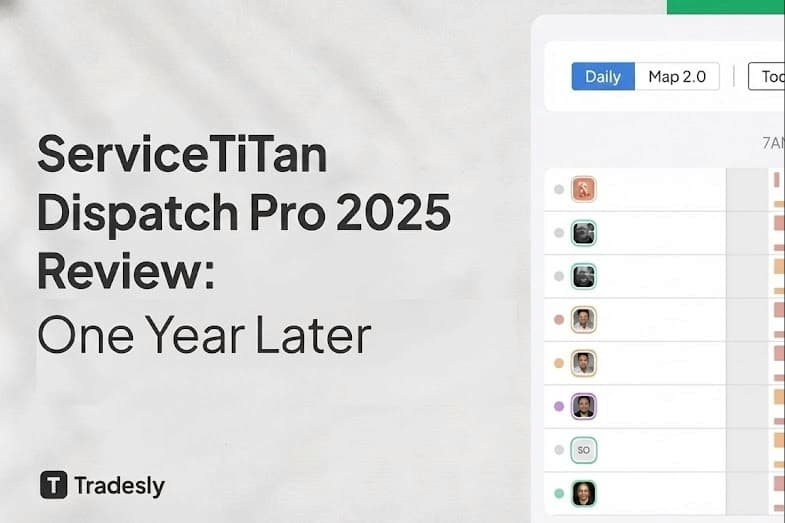
We've been using ServiceTitan for a full year now, and when Dispatch Pro came out, I was curious. Could it really make dispatchers obsolete?
If you've ever run a home service business, you already know dispatching is one of the hardest parts. Matching the right tech to the right job, keeping routes tight, and trying to make everyone happy is chaos on a good day.
So when ServiceTitan announced Dispatch Pro, I saw it as a chance to finally let data drive the day. After a year with it, here's what's real, what's hype, and what I wish someone had told me before we turned it on.
What Is ServiceTitan Dispatch Pro (and Why It Exists)
Dispatch Pro is ServiceTitan's AI-powered dispatching system. It's basically an AI dispatcher built right into your ServiceTitan dispatch board.
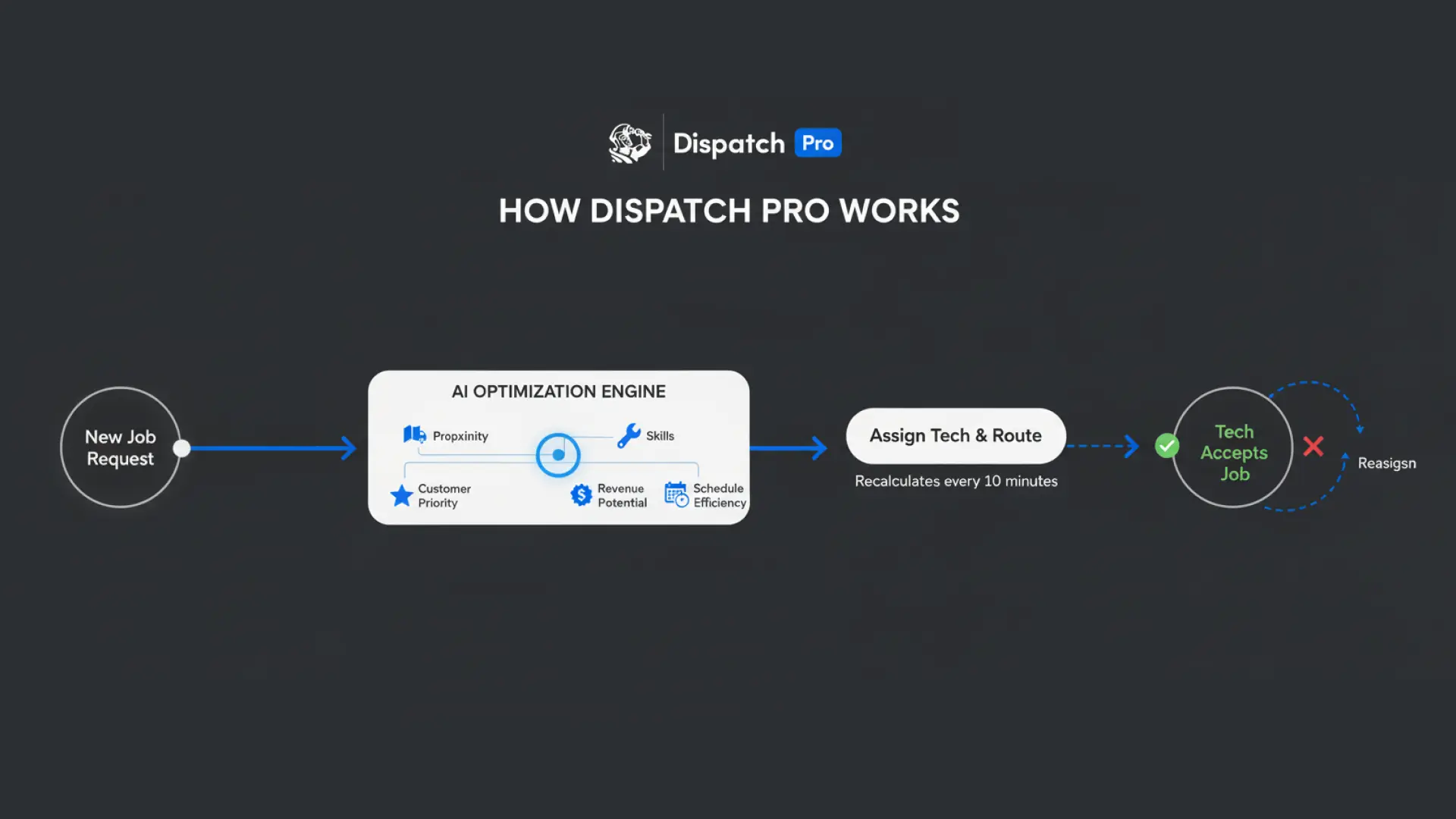
Instead of your dispatcher manually assigning calls, the AI automatically matches each job to the best available tech based on skill, proximity, customer history, and expected revenue. It's like putting an autopilot on your dispatch board. Every 10 minutes, the system re-evaluates open jobs and reshuffles schedules if it thinks there's a better match.
The goal? Take emotion out of dispatching and replace it with math.
Is Dispatch Pro Worth It?
That's the question everyone asks first.
Here's my honest answer: it can be. If your data is clean, your job types are mapped correctly, and your tech profiles are complete, Dispatch Pro can make you money. We saw a measurable bump in ticket size because the AI pairs high-value jobs with our best closer.
But when our data wasn't clean, Dispatch Pro made a mess. It once sent our senior installer 40 minutes across town for a $250 maintenance call. The customer waited longer. And we burned an hour of drive time we could've used on actual revenue.
In short: good data makes Dispatch Pro brilliant. Bad data makes it dumb. There's no in between.
Does Dispatch Pro Replace Dispatchers?
No, and it shouldn't.
Dispatch Pro is not here to fire your team. It's here to make them faster. Think of it as a power assist. The AI handles the easy decisions (who's closest, who's available, who's the best fit) so your dispatcher can focus on exceptions and customer issues.
We actually found our dispatchers became more valuable once they stopped spending all day dragging jobs around and started managing strategy instead. They shifted from "Where should I send Joe?" to "Why is the AI sending Joe there, and should I override it?"
That's a better use of their brain. But you have to train them to think this way. Some dispatchers felt like they were losing control at first. It takes time to trust the system.
How Does Dispatch Pro Decide Which Tech Gets Which Job?
Dispatch Pro uses a bunch of optimization factors:
Proximity: How far is the tech from the job?
Skills: Does the tech have the right certifications or experience for the call type?
Customer Priority: Is this a VIP customer or a first-time caller?
Revenue Potential: Which tech has the highest close rate on this type of job?
Schedule Efficiency: Will this create a better route for the rest of the day?
It weighs all of these at once and picks the best match. Then, every 10 minutes, it recalculates and might reassign.
That last part is the double-edged sword. The AI is always optimizing, which means schedules can shift. Guys would get ready to head to one job, then get reassigned to another. It felt chaotic until we set some rules.
What Are The Pros of Dispatch Pro?
✅ Time Saver: Once tuned, it really does reduce manual work. Our dispatcher manages more techs with less stress. She's not dragging jobs around all day.
✅ Data-Driven Decisions: It takes bias out of scheduling. The AI doesn't play favorites. It looks at numbers. If Joe is closer and better skilled, Joe gets the job. No politics.
✅ Higher Revenue Potential: By matching top-performing techs with big-ticket jobs, we saw more upsells land naturally. Our close rate on jobs over $1,500 went up 12% because the right people were showing up.
✅ Consistency: It never forgets lunch breaks, territory rules, or skills. Humans do. The system is relentless about following the rules you set.
What Are The Cons of Dispatch Pro?
❌ Setup Is Everything: If your ServiceTitan setup is sloppy, Dispatch Pro will expose every flaw. Job types, business units, and technician skills must be configured right. We learned this the hard way in month one.
❌ Weird Reassignments: Sometimes it over-optimizes. We'd see jobs reshuffle just because it found a "slightly better" route. That confused techs and occasionally annoyed customers who were expecting a specific arrival time.
❌ Resistance From the Team: Some dispatchers felt like they were losing control. Techs didn't always trust the AI's decisions. It takes training and buy-in. If your team fights it, you'll get no value.
❌ Not Great for Small Teams: If you're running 3 techs, you don't need AI. Manual dispatching is faster and more flexible. Dispatch Pro shines when you have 10+ people on the board and high call volume.
Dispatch Pro vs Manual Dispatching
Feature | Dispatch Pro | Manual Dispatch |
Speed | Automated, instant assignments | Human-dependent, slower |
Flexibility | Limited by logic and rules | Fully adaptable to exceptions |
Human Intuition | ❌ Can't read between the lines | ✅ Understands nuance and relationships |
Efficiency at Scale | ✅ Great for 10+ techs | ❌ Gets chaotic with many techs |
Bias | None (data-driven) | Can play favorites |
Override Capability | ✅ Always available | N/A |
Best For | High-volume, data-rich operations | Small teams, complex exceptions |
The truth? You need both. Dispatch Pro handles the routine. Humans handle the exceptions.
Is Dispatch Pro Right for Small Businesses?
Short answer: probably not.
If you're running 1 to 5 techs, manual dispatching is faster and more flexible. You don't have the call volume to justify automation. The time you'd spend setting up Dispatch Pro and cleaning your data isn't worth it when you can just assign jobs in 30 seconds.
Dispatch Pro is built for scale. It's for companies with:
10+ technicians
100+ jobs per week
Clean ServiceTitan data
Dispatchers who spend most of their day scheduling
If that's not you yet, stick with manual dispatching. Get there first, then upgrade.
Who Dispatch Pro Is Really For (and Who It's Not)
✅ Great Fit:
Mid-sized and large home service companies (10+ techs)
Businesses that already use ServiceTitan heavily and have clean data
Operations with high call volume and complex routing needs
Dispatchers who are open-minded about automation
❌ Risky Fit:
Tiny operations (1 to 3 techs)
Businesses with messy data and inconsistent job types
Operations where every customer relationship is highly personal and requires human judgment
Here's a quote-style takeaway: Dispatch Pro helps organized chaos, not total chaos. If your operation is already a dumpster fire, AI won't save you. Fix your foundation first.
Our Final Verdict on ServiceTitan Dispatch Pro
After a year of real use, I'd give Dispatch Pro a solid 4 out of 5.
It's not magic, but it's powerful, especially if you feed it clean data and trust it enough to learn. It won't replace your dispatchers, but it will make them more effective. It won't solve chaos overnight, but it can help you scale with less stress.
The first month was rough. The learning curve is real. But by month six, we couldn't imagine going back to full manual dispatching. The time saved, the revenue lift, and the consistency were all worth it.
If you're already running ServiceTitan and your team's schedule looks like a chessboard by 8 a.m., Dispatch Pro might just be the upgrade that saves your sanity.
FAQ: ServiceTitan Dispatch Pro
Q: Does Dispatch Pro work with all ServiceTitan plans? No. It's typically available on higher-tier plans. Check with your ServiceTitan rep.
Q: Can techs override assignments from Dispatch Pro? No, but dispatchers can. Techs see the assignment and follow it. If there's a problem, they call dispatch to override.
Q: How long does it take to set up? If your data is clean, about 1 to 2 weeks. If your data is a mess, plan on a month of cleanup and calibration.
Q: Will Dispatch Pro work for multi-trade companies (HVAC, plumbing, electrical)? Yes, as long as your business units and tech skills are set up correctly in ServiceTitan.
Q: Does it integrate with customer preferences? Yes. If a customer requests a specific tech, you can set that in ServiceTitan and Dispatch Pro will respect it.
Q: What happens if the AI makes a bad assignment? Your dispatcher can override it instantly. The system learns from overrides over time.
What's Next? Explore More Home Service Automation
If you're curious about how AI is changing other parts of home service operations, check out our deep dive on AI-powered CSRs and answering services. The same principles that make Dispatch Pro work (data quality, team buy-in, gradual rollout) apply to customer service automation too.