

The Dispatcher's Blind Spot: How Poor Call Intake Data Wrecks Technician Schedules (and How to Fix It)
Your dispatch board isn't broken—it's poisoned by bad call intake data. Learn why CSR data entry errors tank technician schedules and the 30-day fix to clean it up.


The $50K Call: Why Your Dispatch Board Lies to You Every Morning
The Morning Dispatch Meeting From Hell
It's 7 AM. You're standing in front of the dispatch board with your operations team. The software shows a perfectly optimized route map. Color-coded pins. Tight sequencing. Looks beautiful.
Then you start reading the jobs.
"Job 142: AC repair at 123 Main." Which Main? There are three. "Job 156: Water heater replacement, 30 minutes, somewhere near Walmart." Your water heater replacements run 2-3 hours. "Job 201: Customer says 'it's broken'—no idea what it is."
Your tech arrives at the wrong address. Spends 45 minutes finding the right one. Truck doesn't have parts. Calls back. You scramble. Afternoon craters. Customers angry. Techs frustrated.
Your dispatch board isn't broken. It's been poisoned by the data that fills it.
Dispatch scheduling problems aren't routing failures—they're data quality failures that start the moment your CSR picks up the phone and end when your technician shows up at the wrong address.
This isn't about better software. It's about fixing the intake process that feeds it.
Why does my dispatch board have so many gaps?
Your dispatch board has gaps because your CSRs are drowning during intake. Here's what actually happens when the phone rings: A customer calls. They're upset. The CSR is finding availability, asking questions, typing data, and the next call is already queued. Multi-tasking under pressure. Accuracy dies.
The CSR's job during intake looks simple. It's not. They're managing:
- Customer emotion (angry basement flood, panicked smell from wall)
- Scheduling conflicts ("Can you come tomorrow? No? Thursday? Next week?")
- Data entry (20+ fields: address, unit number, gate code, problem type, equipment model, access notes, budget, timeline)
- Call timing (average intake takes 4-6 minutes, but should take 8 if done right)
Something breaks. Usually multiple things.
Here are the intake failures I see in the field constantly:
- Address chaos: "123 Main" instead of "123 Main Street, Unit 2B, gate code 4791." GPS finds a building. Not your customer's.
- Problem vagueness: "AC isn't working" could mean refrigerant leak, compressor dead, thermostat broken, or dirty coils. Your tech brings one truck. Wrong truck 60% of the time.
- Duration guessing: CSR enters "30 minutes" because that's the customer's hope, not the actual job time. Tech scheduled back-to-back. By job 2, you're already 90 minutes behind.
- Access codes missing: "There's a gate" but no code. Tech sits at entrance. Calls customer. Waits 10 minutes. Trickles cascade into afternoon.
- Equipment type unknown: Is it a water heater or a boiler? Packaged unit or split? Your tech needs to know before rolling.
This isn't lazy CSRs. It's a system that asks humans to be perfect under pressure.
Do the math: 20 fields per call × 4% error rate per field = roughly 80% chance that at least one critical piece of data gets mangled. That one broken field cascades through your whole day.
How do data entry errors affect field service scheduling?
One bad data point doesn't cost you 15 minutes. It costs you the whole day.
Walk through a real scenario: CSR enters "15 Maple" but means "150 Maple." The addresses are 30 minutes apart. Your tech sees the job on the board, thinks it's a quick stop between two others.
Tech leaves Job A at 9:30 AM. Expected drive time: 6 minutes. Actual drive time: 36 minutes. Arrives at Job B (wrong address) at 10:06 AM. Realizes the mistake. Calls dispatch. You scramble.
Now:
- Job B is 30 minutes late.
- Job C (scheduled for 10:45) gets pushed to 11:45.
- Jobs D and E get reshuffled.
- Your tech eats lunch at his truck instead of a real break.
- Quality drops on Job C because your tech is rushed.
- Customer at Job D calls wondering where you are.
- By 2 PM, the whole day is chaos.
That single address error cost you: 30 minutes of windshield time, $75-150 in truck cost, one angry customer, one frustrated tech, and compressed quality on the next job.
Do that 3-4 times per day (and you do), and you've lost $300-600 in productivity before lunch.
Now compound it with wrong job types. CSR enters "AC tune-up" but the customer actually needs a compressor replacement. Your tech arrives with a 30-minute mindset, finds a $3,000 job, and your 2-hour window is now useless. Either you lose the job or you overcommit your tech to the next appointment.
Bad data doesn't just waste time. It wrecks revenue capture and technician confidence.
What causes technician routing inefficiencies?
Technician routing inefficiencies aren't caused by bad routing software. They're caused by data that makes good routing impossible.
Here's the trap most operations leaders fall into: They blame the dispatcher or the routing algorithm. "We need better software. Better optimization. AI routing."
But here's what actually happens when you implement better routing software on bad data:
The software still optimizes based on garbage. "123 Main" gets plotted. Route looks perfect. Tech arrives. Wrong building. All that optimization was fiction.
Even the smartest routing can't fix bad addresses, wrong job durations, or missing access codes. You're optimizing fiction.
The technician shows up at the wrong address because the dispatcher routed to the only address that exists in the system. The address is wrong. Not the dispatcher's fault. Not the software's fault. The data was wrong when it was entered.
Routing inefficiencies are a symptom. Bad intake data is the disease.
Why do technicians keep showing up at wrong addresses?
I've watched shops try to fix this with manual verification. Dispatch calls customer before tech arrives. "Just confirming the address: 123 Main, Unit 2." Sounds good.
You've now doubled the labor cost and only reduced errors to 0.3-0.5%. The customer is bothered by a second call. Your dispatcher spent 2-3 minutes verifying instead of optimizing the next three jobs.
Technicians keep showing up at wrong addresses because your system captures addresses wrong and then tries to fix it with more work instead of fixing it right the first time.
Call intake data quality determines whether your dispatch board reflects reality or fiction. A wrong address entered during the call becomes a wrong address routed during dispatch, which becomes a frustrated technician in the field.
The fix isn't more checking. It's capturing the data right from the start.
How can I improve dispatch accuracy in home services?
Stop trying to fix dispatch. Fix intake.
Here's what good intake data actually looks like—the fields that matter:
- Full address with unit: "123 Main Street, Unit 2B, gated community, gate code 4791." Not "123 Main."
- Problem specifics: Not "AC broken." But "Compressor running but not cooling, refrigerant smell from outdoor unit."
- Equipment type and age: "2012 Carrier package unit, 3-ton, original compressor." Your tech knows what they're walking into.
- Accurate duration estimate: Based on job type, not customer hope. Compressor replacement = 2-3 hours, not 45 minutes.
- Access requirements: Gate codes, alarm systems, pet warnings, parking notes. Anything that eats time.
Now here's where AI changes the game: Real-time coaching during the call.
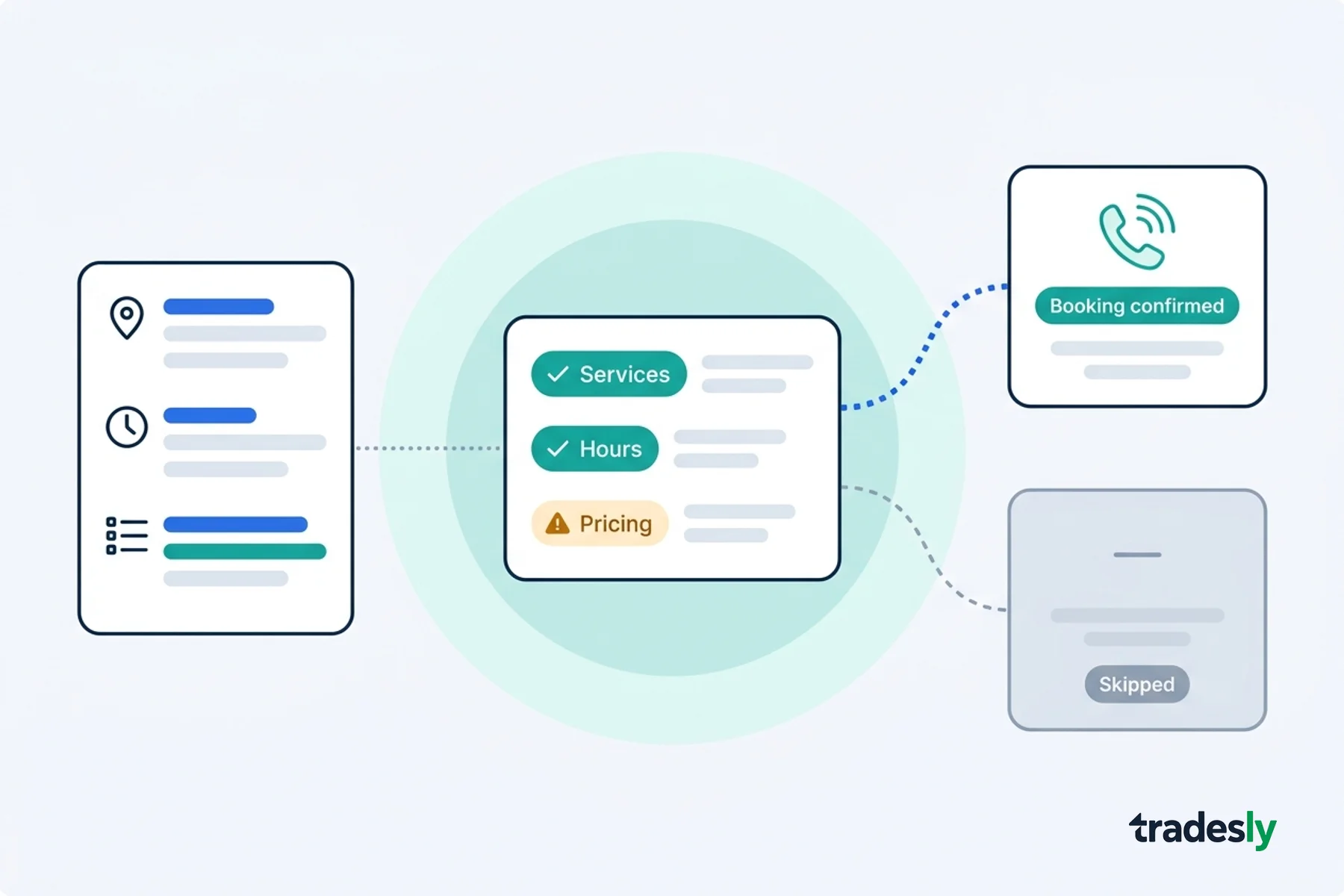
Imagine your CSR is on the call. System sees: "Problem type: AC repair" but address field is still blank. Real-time prompt appears on screen: "Missing address. Get full street, unit number, and gate code before scheduling."
CSR stays on script. Customer doesn't notice. Data comes through clean.
Or CSR enters "30 minutes" for a replacement job. System flags it: "Replacement jobs typically run 2-3 hours. Confirm duration with customer or adjust estimate."
These aren't interruptions. They're guardrails that keep data clean without adding time to the call.
The result: Dispatch board built on fact, not fiction. Routes that actually work. Technicians arriving prepared. Time back in the day.
Implementation: Your 30-Day Dispatch Data Cleanup
You don't need a six-month software implementation. You need 30 days of focused discipline.
Week 1: Audit Your Intake Process
Record 50 inbound calls (with customer consent, obviously). Listen back. Track where data breaks:
- Which fields get skipped or guessed?
- Where does the CSR rush?
- What information does dispatch wish you'd captured?
- Which intake failures appear most?
You'll see patterns. "We never get gate codes." "Address format is chaos." "Duration is always wrong on replacements."
Week 2-3: Implement Capture Improvements
Quick wins that don't require new software:
- Required field prompts: Address and problem type non-negotiable before booking.
- Address verification: CSR reads back full address with unit number. "Confirming: 123 Main Street, Unit 2B, is that right?"
- Job type checklists: AC repair gets one template, replacement gets another. Prompts guide CSR through correct fields for each type.
- Duration standards: Create a reference sheet. AC tune = 45 min. Compressor replacement = 2.5 hours. CSR uses this, not customer estimate.
Then layer in technology: AI tools that guide CSRs through qualification without slowing calls.
Week 4: Measure the Dispatch Difference
Track these metrics:
- First-time fix rate: Jobs completed on schedule without additional calls or rework.
- Windshield time: Minutes spent driving vs. working. Should trend down.
- Technician satisfaction: Ask your techs: "Do you have what you need when you arrive?" This shifts from 40% yes to 85% yes.
- Call-back rate: CSRs calling back to clarify details. Should drop 60-70%.
- Revenue per technician: Better data = better job matching = higher utilization. Track it.
You'll see the difference within two weeks. Dispatch board becomes predictable. Technicians arrive prepared. Day runs like it's supposed to.
The best part: This costs almost nothing. It's discipline, not dollars.
The Real Win
I've watched shops pour $50K into new dispatch software while their CSRs entered garbage data into the old system. The new software looked prettier but worked exactly the same—bad routes based on bad data.
Your dispatch board isn't the problem. The 30 seconds when your CSR picks up the phone is the problem.
Fix that, and everything else gets easier.
If you want to accelerate this—add real-time AI guidance during calls so CSRs capture perfect data without thinking about it—get started with AI-powered call coaching. But honestly, the first win is just discipline. Audit your intake. Fix the process. Watch your dispatch board come back to life.
Your technicians will thank you. Your dispatch board will finally tell the truth.