


5 ServiceTitan Features That Break When Your Call Handling Is Weak
Dispatch Pro assigning the wrong techs? Bad call monitoring ruins your ServiceTitan features with garbage data. Learn how to diagnose and fix it today.
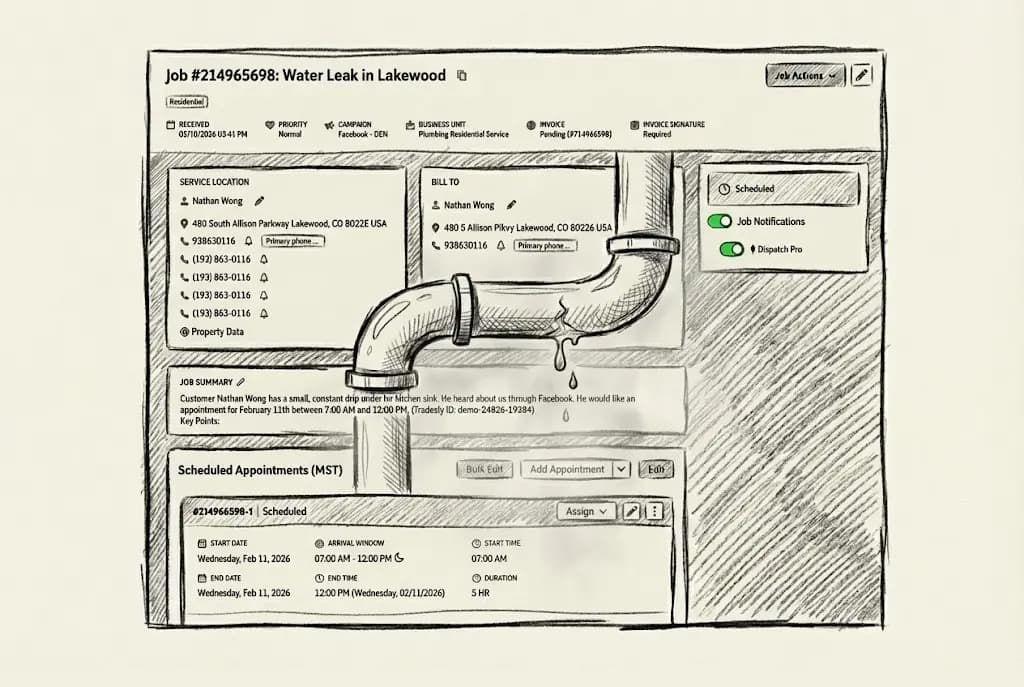
You spent $30K+ on ServiceTitan. Dispatch Pro is running. Your reports look professional. Your CRM is integrated.
So why does your competitor down the street, who doesn't even have half your features, keep stealing your jobs?
Here's the uncomfortable truth: ServiceTitan is only as smart as the data you feed it.
When your CSR fumbles a call and forgets to ask about equipment age, Dispatch Pro assigns your junior tech to what turns out to be a $12K replacement opportunity.
When they book a time-waster who "just wants a quote," your booking rate looks great but your close rate tanks.
ServiceTitan records everything. Tracks everything. But it can't fix a call that was handled poorly from the start.
This isn't about blaming your CSRs. It's about recognizing that ServiceTitan's most powerful features, the ones you're paying for, are sitting on a foundation of inconsistent call quality. And that inconsistency is costing you tens of thousands in lost revenue every month.
Let's diagnose exactly which features are underperforming and why.
Feature #1: Booking Rate Analytics - Why Does My ServiceTitan Booking Rate Look Great But Revenue Is Still Flat?
ServiceTitan's dashboard displays your call booking rate in real time. It shows the percentage of incoming leads that convert to scheduled jobs. Instant visibility into CSR performance. Looks solid. Feels like control.
The Dirty Secret About Booking Rates
ServiceTitan counts what your CSRs classify as leads.
The system excludes calls marked "Excused" or "No Lead" from the booking rate calculation. The problem? Your CSRs are the ones deciding what counts as a lead. And when their performance score is tied to that number, the incentive to game it is very real.
Here's what actually happens:
CSR spends 8 minutes on a call that doesn't book
Rather than hurt their booking rate, they classify it as "No Lead"
Your dashboard shows 85% booking rate (looks great!)
But you just paid for a lead that walked away, and ServiceTitan doesn't count it
The downstream damage gets worse. When your CSR doesn't have real-time call monitoring or quality guardrails in place:
Customer calls about a "heater not working"
CSR fails to qualify: emergency vs. maintenance? Equipment age? Home size?
CSR books the call anyway (counts as a win!)
Tech arrives to find it's a $40 thermostat battery, not the $6K furnace replacement the booking suggested
Your booking rate: 85%. Your actual revenue: garbage.
💸 Real cost: A shop running 100 calls/week with an 80% "booking rate" but 40% of those bookings unqualified = 32 wasted appointments/week. At $150/dispatch cost, that's $249,600/year in wasted capacity.
Want to know which numbers actually move your business? Here are 5 revenue metrics that actually matter for the trades in 2026.
Key takeaway: Your booking rate dashboard is lying to you if your CSRs control what counts as a "lead." Fix call quality first, then trust the metrics.
Feature #2: Dispatch Pro - Why Does ServiceTitan Keep Assigning the Wrong Technician to High-Value Jobs?
Dispatch Pro uses Titan Intelligence to automatically assign the right technician based on skills, location, opportunity value, and performance history. It recalculates every 10 minutes to keep your dispatch board optimized.
Sounds like a dream. And it is, when it has accurate data to work with.
The "Garbage In, Garbage Out" Reality
Customer calls: "My AC stopped working and it's 95 degrees outside."
Here's what a rushed CSR does:
Asks for the address
Books the call as "AC Repair: No Cool"
Moves on to the next call
Here's what they didn't ask:
Equipment age? (A 15-year-old unit = replacement opportunity, not a repair)
System type? (Residential split vs. commercial package unit = different skill set required)
Previous service history? (New customer vs. VIP member = different approach)
Dispatch Pro receives the job labeled "AC Repair: Standard." It assigns your junior tech: closest location, available now. Fast dispatch. Wrong call.
Your junior tech arrives. Turns out it's a 14-year-old unit in a 3,000 sq ft home. A clear replacement opportunity. He can't close it. Customer "wants to think about it."
That $8,500 job becomes a $200 service call, or a lost deal entirely.
What Should Have Happened: Standardize What CSRs Capture on Every Call
Every CSR, on every call, needs to ask the same qualifying questions every time: equipment age, system type, service history, urgency level. Not sometimes. Every time. That consistency is what gives Dispatch Pro accurate signals to work with.
The problem is that humans are inconsistent. A well-trained CSR nails it on Monday morning. By Friday afternoon, they're rushing and skipping questions. That's not a hiring problem. That's a process problem.
How AI could solve the CSR's consistency gap
This is where a real-time coaching layer changes the outcome. Instead of relying on memory and good habits, the CSR gets a live prompt on screen during the call.
Here's what that looks like in practice:
Customer calls about an AC issue
AI-powered call coaching prompts the CSR in real time: "Ask: How old is the equipment?"
Customer answers: "About 14 years old"
The system flags the job automatically: "High replacement probability"
Dispatch Pro receives an accurate job classification
Dispatch Pro assigns your senior tech with a 70% close rate on replacements
Job closes at $8,500 instead of walking out the door
The CSR doesn't need to remember. The AI remembers for them. Every call gets the same intake quality, regardless of who answers the phone or what time it is.
See how this works inside ServiceTitan without disrupting your board.
Key takeaway: Dispatch Pro's AI is only as smart as the call data your CSR captures. Incomplete intake = wrong tech = lost revenue.
Feature #3: Call Recording and Analytics - Why Are My CSRs Making the Same Mistakes Even After I Review the Recordings?
ServiceTitan records every call, giving you a complete audit trail. Contact Center Pro adds sentiment analysis and call transcription for manager review and CSR coaching. Full visibility. Total accountability.
Recording a Bad Call Doesn't Fix a Bad Call
By the time your manager listens to the recording, usually days later during weekly QA, the damage is already done:
The $6K job already went to your competitor
The customer already left a 2-star review
Your tech already wasted 2 hours driving to an unqualified lead
Most ServiceTitan users review 1 to 5% of calls manually. Time just doesn't allow for more. That means 95% of calls never get scrutinized until a visible problem surfaces, and by then, you've lost dozens of opportunities.
Here's what that looks like in practice:
CSR fumbles a price objection on Monday
Same mistake happens 12 more times that week
You catch it Friday during weekly review
13 opportunities lost before you could coach
💸 Real cost: 1 CSR, 20 calls/day, 15% error rate on high-value opportunities = $75,000/month in revenue walking away before you even know there's a problem.
The solution isn't better recording. It's preventing the fumble before it happens.
Key takeaway: Call recordings are for autopsies. Real-time coaching prevents the death. Fix quality during the call, not after.
Feature #4: Technician Performance Dashboards - Why Does My Best Tech Look Like an Underperformer in ServiceTitan?
ServiceTitan's technician performance reports track average ticket, close rate, jobs completed, and revenue per tech. You can see exactly who's performing and who needs coaching.
ServiceTitan Measures Results, Not Opportunity Quality
Your top tech looks like he's underperforming. Your average tech looks like a star. Here's why.
Tech A, Your "Underperformer":
10 jobs dispatched this week
7 are low-value service calls ($200 avg) because CSRs didn't qualify properly
3 are legitimate opportunities. Closes 2. ($12K total revenue)
ServiceTitan shows: 20% close rate, $1,200 avg ticket
Tech B, Your "Star":
10 jobs dispatched this week
8 are pre-qualified replacement opportunities because the CSR did their job
Closes 6. ($48K total revenue)
ServiceTitan shows: 60% close rate, $4,800 avg ticket
The hidden truth: Tech A might actually be the better closer. He's just being fed garbage leads because your inbound isn't filtering properly.
What happens next? You promote Tech B and send Tech A to remedial sales training. The real problem, CSRs not qualifying leads, keeps bleeding revenue. You're solving the wrong problem with the wrong data.
The fix in action:
When inbound is properly qualified:
Every call is captured with opportunity indicators (equipment age, urgency, budget signals)
ServiceTitan receives clean job classifications
Dispatch Pro distributes opportunities fairly based on actual job potential
Performance metrics now reflect actual closing ability, not luck of the draw
Now you can accurately identify who needs coaching and who deserves the next high-value run.
Key takeaway: Your technician performance reports are only valid if every tech receives equal opportunity quality. Bad inbound creates false performance signals that lead to bad management decisions.
Feature #5: Revenue and Opportunity Reports - Why Do My ServiceTitan Dashboards Say I'm Winning but My P&L Says Otherwise?
ServiceTitan's reporting dashboards show real-time KPIs: revenue by campaign, booking rates, opportunity job average, membership conversion, and more. Data-driven decisions, instantly.
Your Dashboard Is a Mirror. It Reflects Whatever You Feed It
ServiceTitan reports what happens inside your system. It has no idea about:
The 40% of calls your CSR marked "No Lead" to protect their booking rate (see Feature 1)
The high-value opportunities misclassified as routine service calls (see Feature 2)
The calls that went to voicemail after hours, ServiceTitan never saw them
A real example. A shop reviews their dashboard:
Booking Rate: 85%, Great!
1,200 jobs booked this quarter, Growing!
Average ticket: $650, Solid!
Then they audit actual call recordings:
30% of "booked" jobs were tire-kickers who canceled or no-showed
25% of "No Lead" classifications were qualified prospects the CSR didn't want to handle
After-hours calls (20% of total volume) never hit the dashboard at all
The real numbers:
Actual qualified opportunities: 1,800 (not 1,200)
Actual booking rate: 56% (not 85%)
Lost revenue from missed and fumbled calls: $487,500 this quarter
The fix:
Track raw booking rate (total calls vs. booked), not just "lead booking rate"
Monitor after-hours call volume (are you missing 20% of opportunities?)
Audit CSR call classifications monthly (are they gaming the system?)
ServiceTitan reports become trustworthy because the underlying data is finally clean
Key takeaway: Garbage data in = misleading reports out. Your dashboards can only be trusted when the calls feeding them are handled with discipline.
The Diagnostic Framework: Audit Your Call Quality in 4 Steps
Now you know which ServiceTitan features are being hurt by bad inbound. Here's how to find your specific leaks, no consultant required.
Step 1: Pull Your Raw Numbers (Don't Trust the Dashboard Yet)
Pull these numbers first:
Total incoming calls, including abandoned, after-hours, and "No Lead" calls
Calls marked "Excused" or "No Lead" by CSRs, what percentage is this?
Jobs booked vs. jobs actually completed
No-shows and cancellations
If more than 20% of calls are "No Lead" you have a data quality problem.
Step 2: Sample 20 Random Call Recordings
Listen for these four things:
Did the CSR ask qualifying questions? (Equipment age, urgency, budget signals)
Did the CSR handle objections, or just book and move on?
Were job types classified accurately based on the actual conversation?
Were high-value indicators captured for Dispatch Pro?
Step 3: Compare Dispatch Assignments to Actual Outcomes
Pull 10 jobs Dispatch Pro assigned last week
Check: did the tech's skill level match actual job complexity?
Were any "routine service calls" actually replacement opportunities?
Did incomplete intake data cause wrong assignments?
Step 4: Calculate Your True Cost
Example:
400 calls/month
250 properly qualified (62.5%)
150 calls fumbled, marked "No Lead," or went to voicemail
Average ticket: $4,000 | Close rate: 50%
💸 Lost revenue: 150 x $4,000 x 0.50 = $300,000/month
Key takeaway: You can't fix what you don't measure. Run this audit, then you'll know exactly where ServiceTitan is getting fed bad data.
Your ServiceTitan Is Fine. Your Inbound Isn't
Here's the good news. You don't need to rip out ServiceTitan. You don't need to spend another $50K on a new platform. You don't even need to fire your CSRs.
You need to fix the inbound layer that feeds ServiceTitan.
When your calls are handled consistently, qualifying questions asked, objections handled, opportunities identified, suddenly:
Your booking rate reflects real performance
Dispatch Pro assigns the right techs to the right opportunities
Call recordings become training gold, not damage reports
Technician performance metrics reveal actual skill, not luck
Your dashboards finally match your bank account
ServiceTitan is a force multiplier. But multiplying garbage data just gives you more garbage, faster.
FAQs About ServiceTitan and Call Quality
Q: My ServiceTitan reports look fine. How do I know if I actually have an inbound problem?
Run the diagnostic framework above. If more than 20% of your calls are classified as "No Lead" or "Excused," or if your no-show rate exceeds 15%, you have a data quality problem. Your reports look fine because they only measure the data that made it in cleanly.
Q: Will fixing inbound require retraining my entire CSR team?
Not if you use real-time call coaching. Tools like Tradesly guide CSRs through proper qualification on every live call, so training happens in the moment, not in lengthy sessions. Your team gets better fast, without the classroom overhead.
Q: Can I fix this with ServiceTitan's built-in tools?
ServiceTitan's Contact Center Pro provides post-call analytics, which helps identify problems after they happen. Real-time coaching prevents problems during the call. Both are valuable, but one prevents lost revenue, the other just documents it.
Q: How long does it take to see results after fixing inbound?
Most shops see Dispatch Pro accuracy improve within 2 weeks once clean data starts flowing. Booking rate clarity and technician performance metrics take 30 to 60 days to fully stabilize. P&L impact is usually visible within 30 to 45 days.
Q: What's the ROI of fixing call quality?
If you're running 400 calls/month and 30% are being mishandled, that's 120 opportunities x $4K average ticket x 50% close rate = $240K/month in recoverable revenue. Most shops see 3 to 5X ROI within 90 days.
Q: How do CSRs actually game ServiceTitan booking rate metrics?
It's simpler than most owners realize. CSRs control how calls are classified. A call they don't want counted against their rate gets marked "No Lead", and ServiceTitan removes it from the calculation entirely. Without a QA layer reviewing those classifications, the gaming goes undetected for months.