


Housecall Pro vs. ServiceTitan - Which is Right for You?
ServiceTitan vs Housecall Pro isn't a features race — it's an ops readiness test. See which platform your CSR team can actually run. Read the teardown.

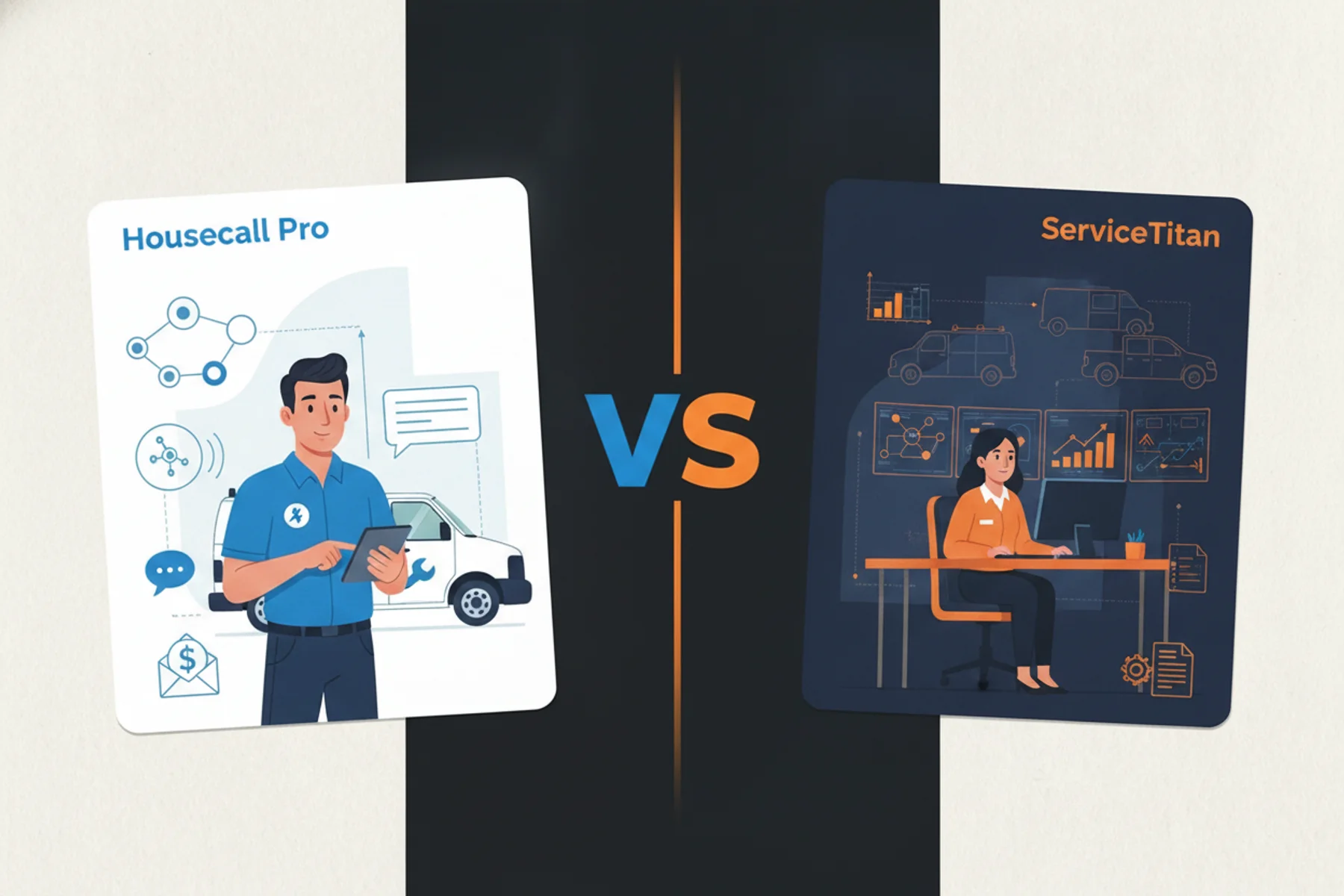
Beyond intake and booking rate: a full feature comparison for HVAC, plumbing, and electrical shops
Your booking rate problem isn't your platform — it's your intake
I've seen a $3M HVAC shop on ServiceTitan missing 30% of inbound calls while a $1.5M plumbing outfit on Housecall Pro runs a 58% booking rate with a full dispatch board. Same industry. Opposite results. The software didn't decide that — intake discipline did.
Most comparison guides hand you a feature table and call it a day. This one goes deeper: scheduling, dispatch, mobile experience, pricebook, reporting, customer communication, and intake. The answer that actually matters is built around how your shop operates — not a generic feature checklist, and not a revenue threshold.
The core argument: both platforms have a booking rate ceiling. That ceiling is set by your operational readiness to run them. Not the software itself. Understanding why ServiceTitan's dispatch board develops gaps when intake breaks down is where this decision actually starts.
Field Service Management (FSM) software is a platform that manages scheduling, dispatch, invoicing, and customer communication for home service businesses. Intake discipline and CSR readiness determine whether that infrastructure produces revenue.
Table of Contents
- Feature-by-feature breakdown
- Which is better for HVAC, plumbing, and electrical?
- Booking engine comparison
- HVAC call booking rate benchmarks
- The compliance risk
- The Verdict
Servicetitan vs. Housecall Pro: feature-by-feature breakdown
Here is where the two platforms actually differ — across the areas that matter to real shops, drawn from independent reviews, operator Reddit threads, and published comparison data.
| Feature | Housecall Pro | ServiceTitan |
|---|---|---|
| Scheduling interface | Drag-and-drop, fast to learn | Highly configurable, steeper setup |
| Mobile app (tech-facing) | Intuitive, near-zero learning curve | More depth, slower on older devices |
| Pricebook and estimates | Built-in, CSV import, clean UX | Good/better/best presentation, higher ticket avg |
| Customer communication | Out-of-the-box, easy to customize | Campaign tracking, call source attribution |
| Reporting | Revenue and job count basics | Per-CSR booking rates, call reason data, campaign ROI |
| Pricing (monthly) | $49–$229/mo, no contract | $500–$1,500+/mo, annual contract typical |
| Implementation time | Same-day to a few days | Weeks of paid setup |
| After-hours coverage | Not included | Not included |
| AI call analysis | Not native | Available via Phones Pro (requires configuration) |
Scheduling and dispatch
Housecall Pro's scheduling interface is drag-and-drop and fast to learn. Techs see jobs on a map. Dispatchers can reassign with two clicks. For shops running 3–8 techs, it covers everything you need without a training program.
ServiceTitan's dispatch board is more configurable and more complex. You can build capacity rules, define job types with time buffers, and run multi-zone dispatch logic. At 10+ techs across multiple trucks, that configurability is genuinely useful. Below that threshold, it's overhead. Reddit threads in r/hvacadvice and r/Plumbing consistently describe the ServiceTitan dispatch board as powerful but "overkill" for shops under $2M. HCP users describe the opposite: it just works, and the mobile app holds up in the field.
Mobile app (tech-facing)
This is one of the clearest differences between the two platforms. Housecall Pro's tech app gets consistently high marks from field teams — straightforward job cards, easy photo uploads, fast payment collection. The learning curve is close to zero for a new tech.
ServiceTitan's mobile app has improved significantly since 2023. Techs can access full customer history, view recommended services, and process financing. The depth is real. But multiple Reddit users and independent reviewers flag that it runs slower on older Android devices and has a steeper onboarding curve for non-tech-savvy field staff. If your crew turns over frequently or skews older, that friction adds up.
Pricebook and estimates
Housecall Pro includes a built-in pricebook and estimate builder. It's functional. For shops with a straightforward service menu, it handles the job. Flat-rate pricebooks can be imported via CSV. The experience is clean and moves fast on a tablet.
ServiceTitan's pricebook is notably more powerful. Good/better/best estimate presentation, built-in financing options surfaced at the point of sale, and per-item performance tracking. Operators who have run both platforms consistently say ServiceTitan's estimate workflow produces higher average tickets — not because the software magically upsells, but because it structures the conversation better. That said, building a clean ServiceTitan pricebook from scratch takes real time. Plan for it.
Customer communication and marketing
Both platforms send automated appointment reminders, confirmation texts, and review request messages. HCP's communication tools are ready out of the box and easier to customize without IT support. Most small shops have these running within a day of go-live.
ServiceTitan's marketing features go deeper. Campaign tracking, call source attribution, and customer history accessible during the call are part of the platform's core value proposition. For shops running paid search or multiple lead sources, the attribution layer is worth real money. You stop guessing which campaigns are producing booked revenue and start seeing it directly.
Reporting
HCP gives you revenue, job count, and basic tech performance summaries. Enough to run a small shop. Not enough to diagnose where a 20-point booking rate gap is coming from.
ServiceTitan's reporting suite — especially with Phones Pro active — is in a different category. Per-CSR booking rates, call reason breakdowns, campaign ROI, and technician performance by job type are all surfaced in one place. That reporting depth is the real reason ServiceTitan commands a premium. It is not the scheduling features. It is the ability to see exactly where revenue is leaking and act on it. See how to read ServiceTitan's CSR reports to find revenue leaks for a practical breakdown.
Pricing
Housecall Pro: $49–$229/month on monthly billing, no long-term contract required. Transparent tiers. No implementation fee. Per Field Service Software's March 2026 independent review.
ServiceTitan: pricing is not public. Mid-market shops consistently report $500–$1,500+/month all-in based on aggregated user reviews and independent comparison data. Annual contracts are standard. Implementation adds weeks of paid setup time. Request a direct quote — the number depends heavily on tech count and which add-ons you activate.
Housecall Pro vs. ServiceTitan: which is better for HVAC, plumbing, and electrical?
Housecall Pro is better for shops under $2M with 1–3 CSRs; ServiceTitan earns its cost only at $3M+ with a dedicated ops owner and a company-wide booking rate already above 50%. Housecall Pro wins on speed, simplicity, and lower overhead. ServiceTitan wins for shops with the staff and processes to support deeper configuration, reporting, and job costing.
ServiceTitan vs. Housecall Pro by trade
HVAC: Housecall Pro is usually the better fit below $2M because it is faster to implement and easier to manage. Above $2M, especially with an established maintenance agreement program, ServiceTitan’s membership tools and per-CSR reporting become more valuable.
Plumbing: For smaller shops or teams with frequent CSR turnover, Housecall Pro’s simpler learning curve is a major advantage. ServiceTitan makes more sense when the front office is stable and leadership will actively use its reporting. Neither platform provides after-hours coverage by itself.
Electrical: Housecall Pro works well for residential service businesses handling panel upgrades, repairs, and EV charger installations. Multi-trade and commercial electrical shops are more likely to benefit from ServiceTitan’s job costing, scheduling, and dispatch capabilities.
| Trade | Recommended Platform | Key Reason |
|---|---|---|
| HVAC under $2M | Housecall Pro | Faster onboarding, less configuration |
| HVAC over $2M (with maintenance program) | ServiceTitan | Membership tools, per-CSR reporting |
| Plumbing under $1.5M | Housecall Pro | Simple CSR onboarding, low turnover friction |
| Plumbing $1.5M–$3M | Either — assess ops maturity | CSR turnover rate drives the call |
| Residential electrical | Housecall Pro | Service work fits HCP's workflow |
| Multi-trade or commercial electrical | ServiceTitan | Job costing and dispatch logic pay off |
Three readiness tests before migrating to ServiceTitan
The $3M revenue graduation rule burns operators. Revenue is a lagging indicator. Run these tests first:
- Do you have a dedicated person who will own the Phones Pro configuration — call reasons, campaign categories, seat types — before go-live? Not after. Before. If the answer is no, you will spend months on a platform you cannot read.
- Is your current company-wide booking rate above 50%? Below that, ServiceTitan's dashboard will confirm your intake is broken — but you'll pay $1,000+/month for that confirmation. Fix intake first.
- Do you have after-hours coverage that survives the migration? Human or AI. If your plan during the transition window is "hope nobody calls after 6 PM," your booking rate will crater and it will feel like a platform problem. It isn't.
If you cannot pass all three, stay on HCP. Invest in CSR training and after-hours coverage first.
Why Does Booking Rate Drop When Migrating from Housecall Pro to ServiceTitan?
Booking rates drop during HCP-to-ServiceTitan migrations because CSRs are operating a new interface under live call volume while the analytics configuration layer is still being built. Plan for a 6–10 week dip. Have your scripts tighter than ever going into the migration. Independent review data from March 2026 is clear: at $3M with 10+ techs, ServiceTitan's ROI depends on running a structured sales process and active maintenance agreement program. The software amplifies a process that already works. It does not create one.
Booking engine comparison: Housecall Pro vs. ServiceTitan
HCP handles the core intake workflow well. Job creation, scheduling, automated reminders, and a clean mobile interface that CSRs can learn in hours. For shops under $2M with 1–2 reps, that simplicity is a genuine advantage. The training burden is low and the platform gets out of the way.
What Housecall Pro does well for inbound:
- New call to booked job workflow is fast
- Reps don't need a certification course to operate it
- Onboarding window is days, not weeks
- Automated reminders and confirmation texts work out of the box
Where HCP's analytics layer runs out of road:
- No per-CSR booking rate tracking
- No call reason classification
- No abandoned call visibility
- If your bottom rep books at half the rate of your top rep, HCP won't surface that clearly enough to act on it
Home services CSR performance tracking is the gap that separates HCP from ServiceTitan at scale. HCP gives you revenue. ServiceTitan gives you per-rep visibility.
The online booking widget trap for urgent trade leads: A prospect with a burst pipe at 9 PM does not fill out a form. They call. If that call hits voicemail, they call your competitor. The widget is a passive tool. Urgency leads need a live voice or an AI agent — not a form queue and a confirmation email they'll read in the morning.
ServiceTitan Phones Pro builds the phone system directly into the platform. When configured correctly: per-rep booking rates, call reason classification, abandoned call tracking. That is a different category of intelligence than what HCP offers.
How Does ServiceTitan Phones Pro Track CSR Performance?
Phones Pro tracks CSR performance via per-rep booking rates, call reason classification, and abandoned call data — but only after operators manually configure call reasons, campaign categories, and seat types. Until that configuration is complete, the reporting layer is dark.
What Phones Pro actually unlocks: Per-rep booking rates. Call reason data. Abandoned call tracking. Per ServiceTitan's official Phones Pro documentation, abandoned calls do not count toward CSR conversion metrics — your conversion rate looks better than it is if you're counting live calls only.
The setup overhead before analytics activate: Phones Pro requires operators to manually configure call reasons, campaign categories, and employee seat types before the reporting layer is useful. That configuration overhead is not a flaw. It is a real tradeoff. You are building a reporting infrastructure. You are not flipping a switch. See the ServiceTitan features that go unused when inbound is broken — this is the list most new migrants never get to.
The complexity tax on your CSR team: For a shop in the middle of a busy season, the configuration window is when your booking rate runs blind. CSRs are on a new interface. Managers have no visibility into what's being lost. The software that was supposed to improve performance is temporarily making it worse. I've watched this exact scenario knock booking rates down for 6–10 weeks post-migration.
Also worth a read once you're live: how to read ServiceTitan's CSR reports to find revenue leaks.
What Is a Good HVAC Call Booking Rate Benchmark?
A healthy HVAC booking rate sits between 55% and 65% for paid-channel inbound, against an industry average of 38% based on ServiceTitan's data from 3,000+ businesses. HVAC averaged 38% and plumbing averaged 43% during peak season, based on ServiceTitan's data report across 3,000+ trade businesses — the most authoritative first-party benchmarks published, though the underlying data is from 2022. Operators who believe they're running 85% are frequently pulling 62–68% when actual call tracking data gets analyzed.
Treat these as directional floors, not current industry standards — the underlying data is from 2022.
What a healthy booking rate looks like by trade
For HVAC, a healthy booking rate sits between 55% and 65% on paid-channel inbound; plumbing targets the same range during peak season. Operators often track them under different labels in different platforms, which is how you end up comparing apples to dashboards.
Your HVAC call conversion rate and your booking rate are the same metric — different platforms just label it differently, which is how operators end up comparing apples to dashboards.
| Trade | Average (Peak Season) | Healthy Target | Source |
|---|---|---|---|
| HVAC | 38% | 55–65% | ServiceTitan data report (2022) |
| Plumbing | 43% | 55–65% | ServiceTitan data report (2022) |
| HVAC (morning hours) | 61% | — | Operator benchmark data |
| HVAC (after 6 PM) | 21% | — | Operator benchmark data |
The after-hours cliff that kills both platforms equally
Large HVAC businesses peak at a 61% booking rate in the morning and fall to 21% after 6 PM. That 40-point drop is a structural intake problem. Both HCP and ServiceTitan suffer from it equally if you have no after-hours coverage. The platform doesn't fix this — coverage does.
Why your company-wide rate hides the real problem
Built on Tenth's 2026 HVAC CSR research puts the typical spread between a shop's top and bottom CSR at 35 points. Your bottom performer is generating booked jobs at roughly double the cost of your best rep. ServiceTitan's Phones Pro surfaces this. HCP does not. That is the core ROI argument for the upgrade — not scheduling features, not dispatch optimization. Per-rep visibility.
Run the math: at an $1,800 average ticket and a combined 70% booking and close rate, each missed call represents roughly $1,260 in potential lost revenue. That's an illustrative calculation based on those stated assumptions — not a surveyed industry average. Use it as a sanity check on your after-hours gap. For the lever that moves the number, read how real-time coaching moves the needle on HVAC booking rates.
The compliance risk both platforms leave on your doorstep
Both ServiceTitan Phones Pro and Housecall Pro's integrated dialer record calls. Most operators flip them on and never touch the consent disclosure layer. That is a problem.
In two-party and all-party consent states, recording a call without verbal disclosure from both parties is a wiretapping violation — not just a TCPA issue. In California, a single CIPA violation can carry $5,000 per call. One busy season of non-compliant recordings is a company-ending number. ServiceTitan's AI call analysis — now on by default — has put this problem front and center for a lot of shops in 2026. They turned it on. They didn't update their consent scripts. That's a liability.
Script verbal disclosure into every booking call before you go live. One sentence. Every call. No exceptions. For the full state-by-state picture, read call recording consent requirements for home services companies.
What Field Service Management Software Is Best for a Mid-Market Home Services Company?
For most mid-market home services companies, Housecall Pro is the right call under $2M — ServiceTitan earns its cost only when you have a dedicated ops owner, a booking rate above 50%, and after-hours coverage in place before go-live. The Housecall Pro vs ServiceTitan mid-market decision comes down to one thing: operational readiness, not revenue size.
A $3M HVAC company should choose ServiceTitan only if it has a dedicated ops owner, a booking rate already above 50%, and after-hours coverage in place before go-live — otherwise Housecall Pro is the better call.
| Housecall Pro | ServiceTitan | |
|---|---|---|
| Best for | Under $2M, 1–3 CSRs, fast onboarding needed | $3M+, dedicated ops owner, structured sales process |
| Strengths | Simple, fast, low friction | Per-rep reporting, pricebook depth, marketing attribution |
| Weaknesses | Thin CSR analytics, no per-rep visibility | Complex setup, long migration window, higher cost |
| Pricing | $49–$229/mo, no contract | $500–$1,500+/mo, annual contract |
| Migration risk | Low | High — plan for 6–10 week dip |
| After-hours coverage | Not solved | Not solved |
Choose Housecall Pro if:
- You're under $2M
- You have 1–3 CSRs
- You need fast onboarding
- You can't absorb a configuration-heavy migration
The simplicity is a feature, not a limitation.
Choose ServiceTitan if:
- You're at $3M+
- You have a dedicated ops person to own the platform
- You pass all three readiness tests above
- You're running a structured sales and maintenance agreement process
The reporting layer is genuinely powerful — but only if you can activate it.
Neither platform solves the after-hours cliff. The only fix is coverage — human or AI — that operates when your office doesn't.
Tradesly integrates with both ServiceTitan and Housecall Pro. If your intake is the problem, layering AI-powered coverage on top of either platform stabilizes your booking rate while you sort out the software question. Stop bleeding leads during the evaluation window.
Stop guessing. Book a demo and see what intake looks like when it's actually working on your platform.
Keep reading
 Operations & Software
How Google's Agentic Booking & Calling Could be Costing You Thousands
11 min read Operations & Software
Jobber vs. Workiz: The One Question That Decides Which FSM Is Right For You
6 min read Operations & Software
Housecall Pro vs. Jobber: The Unbiased 2026 Teardown for 1-5 Truck Shops
7 min read